Automate Your Server-Side Tracking QA
Introduction
No-one's ever complained that Server-Side Tracking QA is too easy!
Google sGTM implementations come with a neat "Preview Server", but this requires a warm body to click manually through a website in preview mode and inspect complex logic (in multiple tabs) to their heart's content. Without a warm body in the mix, it's a black box we plug & pray...
Wouldn't it be sweet if the whole thing could be validated automatically from end to end?
Well, with some recent additions by the Google Cloud API folks, and QA2L's cutting edge feature set, it now can be!
The Google Cloud Setup
We're going to assume a working sGTM implementation using a client container sending data to a server-side container, which then fires any number of tags as a result.
In order to make this workflow available for QA2L validation, we start by creating a project in Google Cloud Console, enable the Tag Manager API on it, and add a service account that our platform will use to look up sGTM configuration data. Read-only access is all we need:
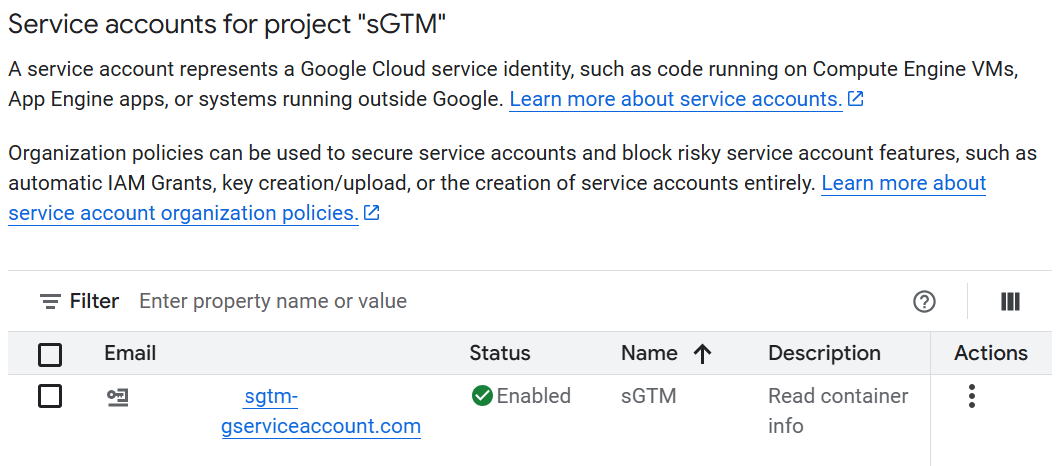
We download the JSON file containing the active credentials for this service account. We'll need this file later to connect to the relevant Google APIs.
The sGTM Setup
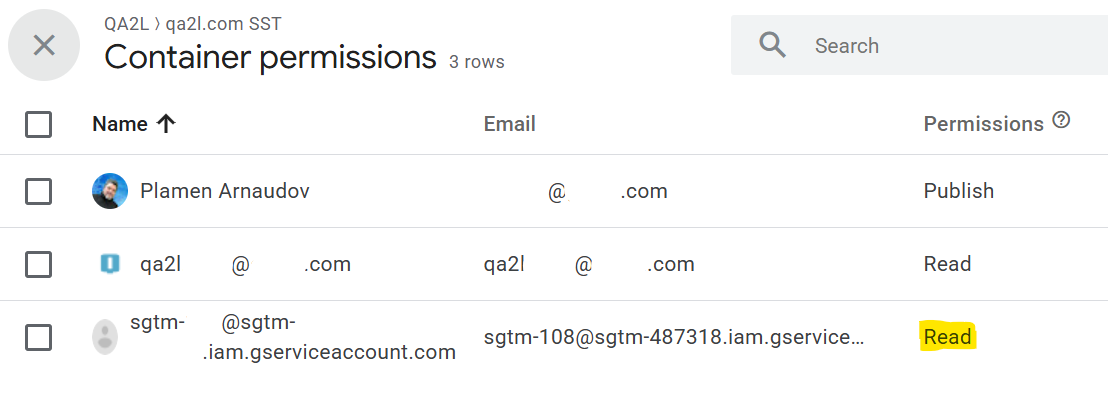
In the server-side GTM container, we give read-only permissions to the service account only to the containers that we want to auto-validate:
Using the "Custom Template" Google Tag Manager option, we add a special tag that will forward (some) incoming requests to QA2L, along with some key information about which server-side tags fired, or didn't fire, as a response:
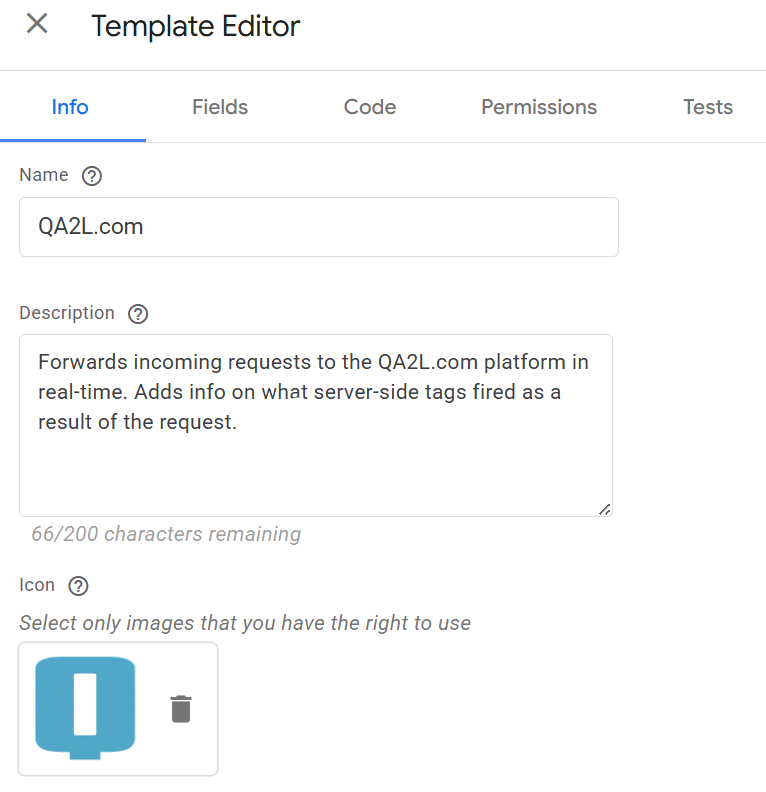
The template contains logic that will ensure that only hits generated by the QA2L automation server are being forwarded. You can use conventional sGTM triggers to limit which requests are shared even further.
The QA2L Setup
Under an individual user profile, we provide the GC service account credentials we downloaded in the first step:
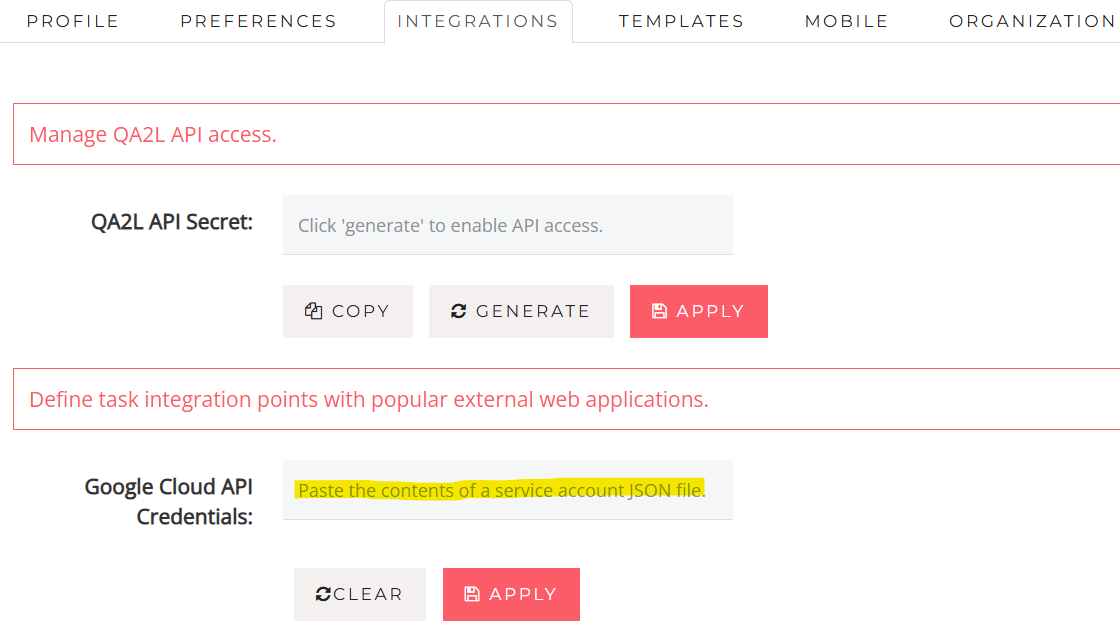
If the user is a member of an organization, this single config step will enable sGTM validation across all tasks belonging to the org!
Design a Task!
Time to head over to the unique QA2L Design interface and hit a page that makes a tracking call eventually routed through the sGTM we are looking to validate.
The task browser sees the page is making a GA4-like page_view tracking call to our custom data collection endpoint:
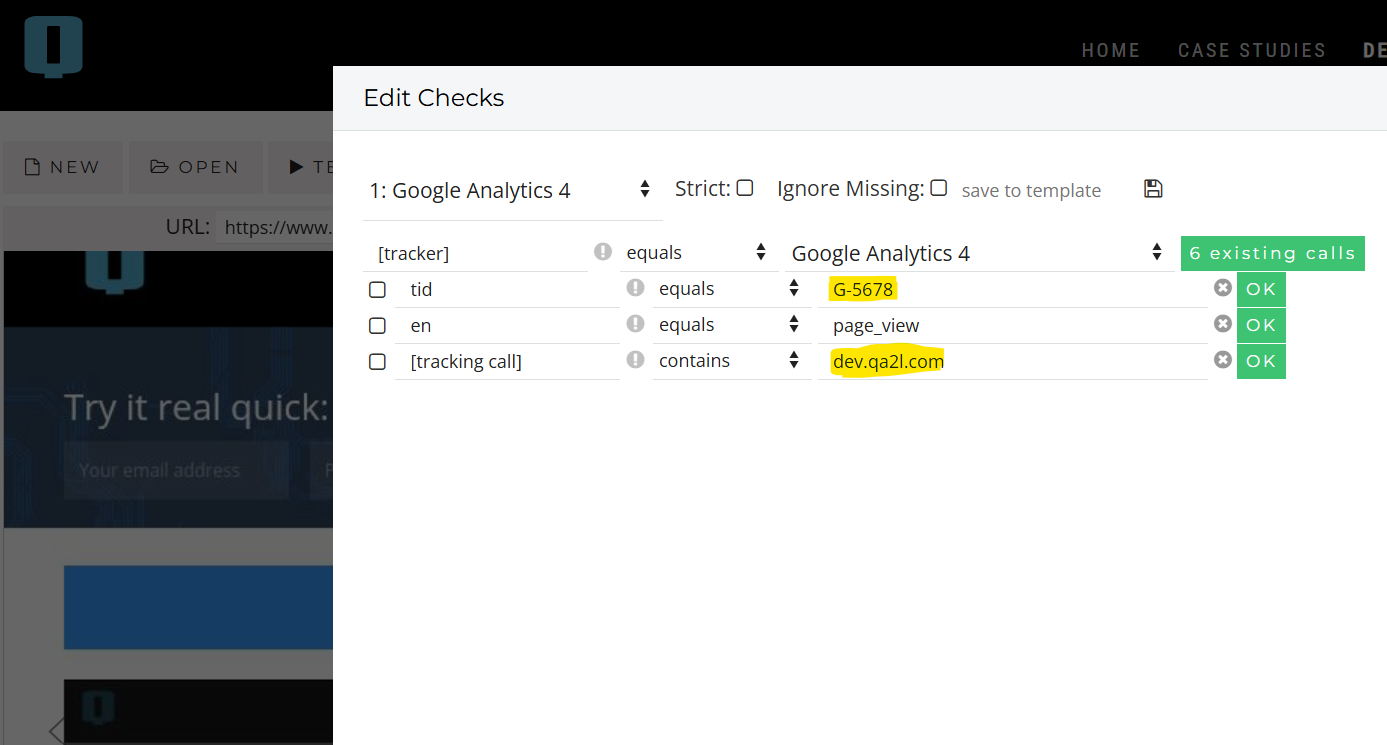
Of course, here we can design a check that will ensure that the all-important tracking call to our server-side data collection container fires and has all the data we expect. We can even go fancy and add user interactions that simulate consent opt-ins or opt-outs, etc.
But our focus right now is on being able to see what happened server-side as a result of this tracking call. This is just stuff we can normally see in the browser. Where are all the goodies?!
Give it another 10-20 seconds...
Suddenly, the number of tags detected on the page jumps up a little:
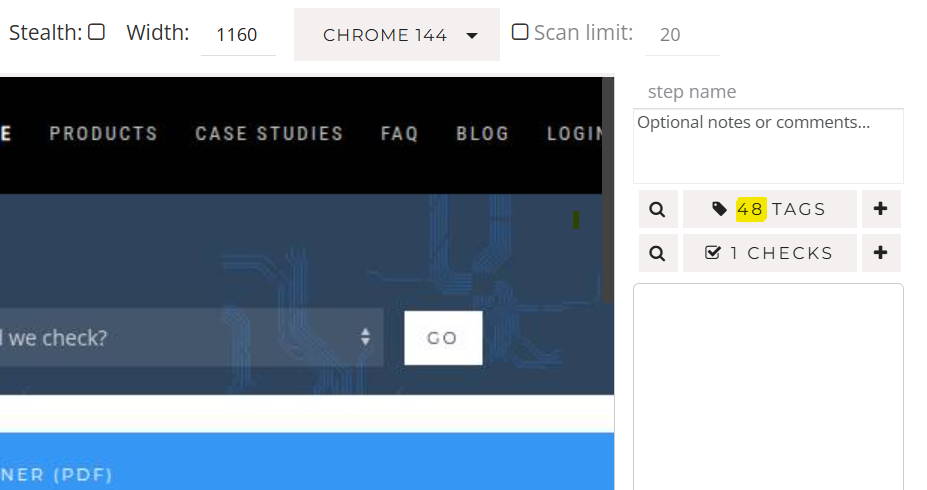
(Behind the scenes, a lot happened. The page_view call to the collection server triggered tags, they sent out data from Google to GA4 and multiple other vendors, our custom sGTM tag was notified about this, used GTM APIs to assemble detailed response data, and brought it all back into the QA task browser.)
When we enter the Design checks builder now, we see a new Google sGTM tag:
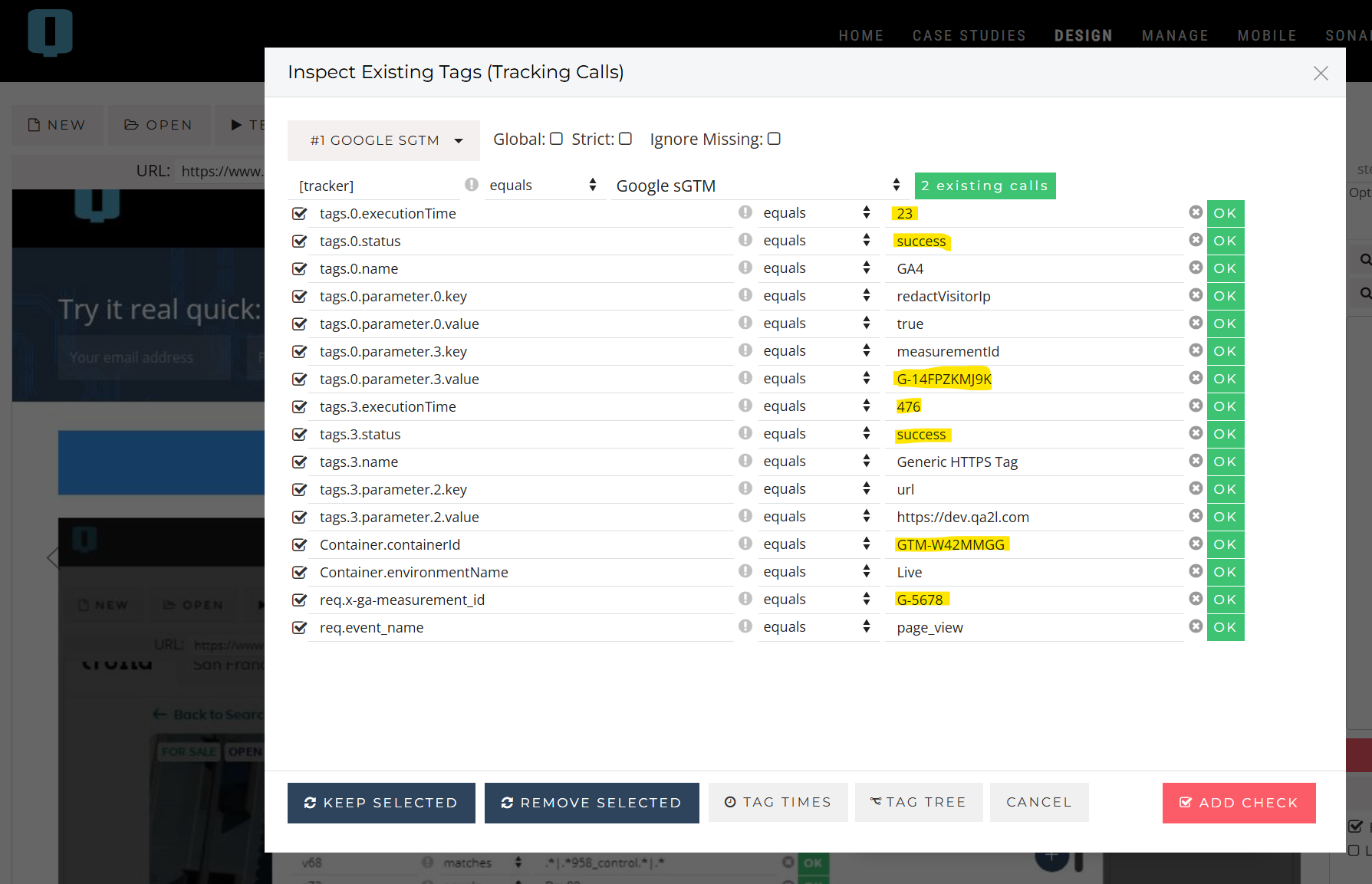
There's a wealth of information here that we can automatically validate on a schedule. Examples include, but are not limited to:
- Checking that the page_view request arrived at the correct collection server and was handled by the sGTM container ID we expect.
- Checking that the client request had the custom measurement ID (G-5678) that will trigger the behavior we expect.
- Checking that the incoming request triggered a specific server-side GA4 tag that ended up in the correct property (G-14FPZKMJ9K).
- Checking that the request also triggered a third-party tag that called some HTTPS url and forwarded some of the data correctly.
- Checking that all server-side tracking calls completed within a certain number of seconds.
- Checking the request did not in fact trigger tags that are not supposed to respond to it (tag status = failure).
- Checking that the resulting tags had triggers correctly anonymizing the source IP.
- Checking that the triggers of all the sGTM tags correctly interpreted any consent levels sent by the client-side tracking call.
For anyone who has struggled with troubleshooting, debugging, and data quality issues in opaque server-side Google Tag Manager implementations (aka tremendous data collection geeks who need to get a life), all this is pretty exciting stuff!
Afterword
Does this solution, enabled by the fairly young Google SST Performance API and powered by QA2L's existing capabilities, completely obviate the need for an sGTM Preview Server?
Probably not, since the Preview Server is uniquely suited to help with initial setup of new tags, make use of the "preview" mode in a single browser session to enable container versions to run that are not yet published for actual users, etc.
But what this does do is make continuous end-to-end validation not only possible, but pretty easy. As easy as server-side tag QA, in many cases.
|
|
About QA2L |
|
QA2L is a data governance platform specializing in the automated validation of tracking tags/pixels. We focus on making it easy to automate even the most complicated user journeys / flows and to QA all your KPIs in a robust set of tests that is a breeze to maintain. We take a smart, targeted approach to issue discovery via auto-selective site audits and scans and can help your organization on the path of improved data governance and data quality. |
|

Tags: Data Quality Product News